

Start with the operator’s job
An HMI is the operator’s view into a machine. It can show status, alarms, trends and recipes, and it can send approved commands to a controller. It does not replace the PLC program, interlocks or machine safety system.
This guide uses 7 selection checks, collects evidence in 4 groups, and ends with 3 bench tests. That is enough to turn a vague request such as “I need a 7-inch screen” into a model-level review without turning the article into a catalog.
Use the HMI product family to see current records. Use the PLC family when the review also involves controller ports and protocol roles.
The seven checks
| Check | What to record | Why it changes the choice |
|---|---|---|
| Operator workflow | Screens, alarms, recipes, trends, users and approved commands | Defines what the panel must show and how people will use it |
| Display | Usable area, resolution, touch method, viewing distance and mounting position | A larger diagonal does not guarantee clearer operation |
| Environment | Temperature, moisture, dust, vibration, cleaning and sunlight | Determines enclosure, front-face and installation needs |
| Physical interfaces | Ethernet, serial, CAN, USB and any expansion path | Connectors must match the real devices and wiring plan |
| Protocol roles | Driver, client/server role, addressing, data types and failure behavior | A protocol name alone does not prove a working connection |
| Engineering workflow | Project software, maintained version, firmware, backup and transfer method | Determines whether the team can build, recover and maintain the project |
| Lifecycle evidence | Manual, drawing, software, certificate, accessories and replacement plan | Prevents a good demo from becoming a poor long-term fit |
The manufacturer’s document data center is the place to check maintained manuals and update dates for the exact family. The reviewed document center gives direct access where public distribution and model scope have already been checked, with a request path for the rest.
Gather four evidence groups
Keep the RFQ short, but attach evidence that removes guesswork:
- Hardware: full HMI model, PLC or controller model, supply, connected devices and required accessories.
- Network: ports, topology, protocol, device roles, addresses, update needs and communication-loss behavior.
- Project: current source file, software version, firmware, tag list, alarm list, recipes and user levels.
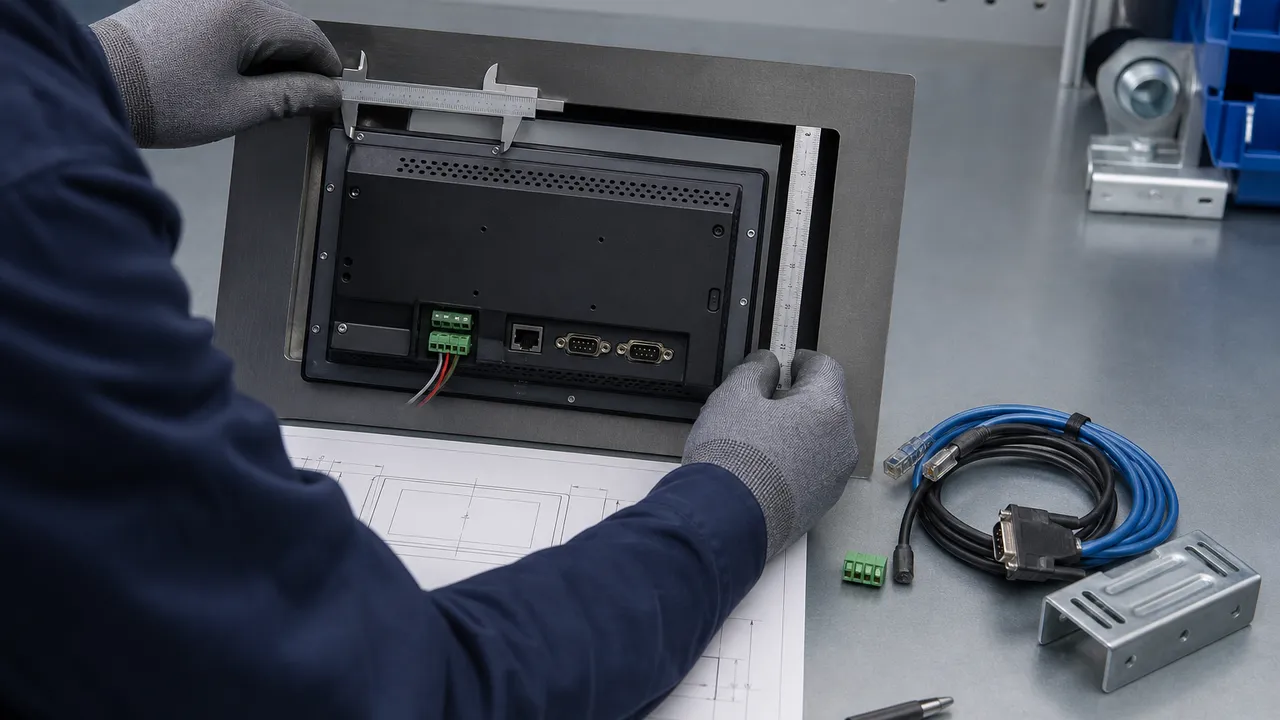
- Installation: panel cutout, available depth, environment, cable entry, service access and destination requirements.
For a new machine, describe the planned records. For a retrofit, add clear photos of the label, panel opening, connectors and existing wiring. A front photo alone cannot confirm the rear depth, suffix or communication option.
Treat software and remote access as selection inputs
Confirm the project tool before choosing hardware. Similar panels may belong to different software generations. The maintained tool, supported operating system, project conversion path and firmware policy can matter as much as the display itself. Keep an editable source project and a readable backup record; an uploaded runtime file may not be enough for future changes.
Remote access also belongs in the design review. Decide who may connect, through which managed path, with what authentication, logging and recovery process. NIST’s Guide to Operational Technology Security provides primary guidance for reviewing OT architecture and security controls. Do not expose an HMI service to the public internet simply because the panel offers an Ethernet port or remote feature.
Run three bench tests before machine approval
- Read test: verify representative bits, integers, signed values, scaled values, alarms and time information against the controller.
- Controlled write test: verify permissions, ranges, acknowledgements and PLC qualification without bypassing interlocks.
- Fault and recovery test: interrupt the connection, restart each device and confirm stale data, rejected commands and recovery are visible and predictable.

The programming service can scope these tests from the source projects, tag map and acceptance rules. Final machine approval remains with the responsible project parties.
Boundaries and limitations
This checklist narrows the decision; it does not select a model from a product photo or family name.
- A shared connector or protocol name does not establish a working cross-brand connection.
- A front-face protection rating does not describe the complete enclosure, cable entries or installation.
- A successful screen download does not validate tags, writes, alarms, recovery or machine safety.
- A series document may not cover every model suffix, hardware revision or accessory.
- Model status, documents, availability, lead time, price and warranty are confirmed for the exact SKU at RFQ.
Next step
Send the full HMI and controller models, operator tasks, ports, protocol, project files, cutout, environment and required documents through the HMI selection request. We will return a reviewable route and list any missing evidence.
Questions engineers ask
What screen size should I choose for an industrial HMI?
Start with what the operator must read and touch, the viewing distance, mounting height, gloves, language needs and the number of values shown at once. Then compare usable display area, resolution, touch method and panel cutout. A larger diagonal can still feel crowded if the resolution, layout or touch targets are wrong. Build one representative screen at the intended scale and review it from the real operating position. The final HMI must also pass the environment, interface, software and installation checks; screen size alone is not a model-selection method.
Does an IP-rated HMI make the whole control panel waterproof?
No. A published rating may apply only to a stated face, mounting method or tested product condition. It does not automatically cover the rear electronics, enclosure, gasket installation, cable entries, connectors, ventilation or later modifications. Check the exact model manual and drawing, then review the complete panel against the cleaning method, water exposure, dust, temperature and mounting surface. The responsible panel builder or machine designer must confirm the finished installation. Do not transfer a rating from a related series or a similar-looking front panel to the selected SKU.
Can an industrial HMI communicate with a PLC from another brand?
Often there is a candidate communication path when both devices support the same physical interface, protocol and complementary roles. The exact driver, port, addressing, data types, byte order, register map, write permissions, connection limits, timeouts and recovery behavior still need review. A protocol logo or an Ethernet connector does not prove the intended data path. Provide both full model numbers, maintained manuals and the tag or register list. Bench-test representative reads, controlled writes and cable-loss recovery before the HMI is allowed to command machine functions.
Which software do I need to program my HMI?
Use the engineering tool assigned to the exact HMI family and hardware generation. Similar screen sizes can use different software, project formats, drivers and firmware. Record the full order code and current firmware, then check the maintained manufacturer software page and manual before installing a tool. For an existing machine, also save the original project, libraries, fonts, recipes and version information. Do not assume that a runtime file can be edited or that a newer tool will open and convert an older project without changes and testing.
How can I tell whether an old HMI project will open on a new panel?
First identify the source project's software version, target model, libraries, drivers, fonts, scripts and external files. Then compare the new panel's supported project tool, resolution, ports, protocol drivers, memory behavior and firmware. Open a copy of the project in a controlled environment and keep the original untouched. Treat any conversion report as a work list, not proof of completion. Review screen scaling, tags, alarms, recipes, users, communications and startup behavior, then bench-test. A new panel remains a candidate replacement, subject to engineering review.
Should remote access be enabled on an industrial HMI?
Enable it only when there is a defined operational need and a reviewed security design. Record who may connect, how identity is checked, which managed network path is used, what actions are allowed, how sessions are logged and how access is removed. Review segmentation, updates, backups, recovery and the effect of a lost connection. An Ethernet port, VNC option or cloud feature is not by itself an access policy. Follow the site owner's OT security process and the maintained manufacturer guidance; do not expose an HMI service directly to the public internet for convenience.
What should be tested before approving an HMI for a machine?
Test more than screen navigation. Verify representative reads, signed and scaled values, alarms, trends, recipes, user permissions and time handling. Test each controlled write against PLC permissives and range checks. Restart the HMI and controller separately, disconnect the network or serial path, and confirm stale data and communication loss are obvious. Check that recovery does not replay an old command. Also inspect mounting, touch use, readability and service access in the expected environment. Machine safety functions require their own verified architecture and validation; ordinary HMI communication is not a safety channel.
Which HMI documents should I request before placing an order?
Request the current product brochure or datasheet, user manual, dimension or panel-cutout drawing, software and firmware guidance, and any certificate required for the exact SKU and destination. If the HMI needs options, cables or communication modules, request their order codes and matching documents too. Check the model or series scope, language, revision and update date on every file. A related product's manual is not evidence for the selected model unless its stated scope includes it. Use the document center for reviewed files and request any missing record before approval.